Split expenses
without the catch.
The trip. The flat. The dinner that turned into a whole evening. Keep the shared costs simple.


Core splitting is free. No group limits.
More memories.
Fair doesn’t always
mean equal.
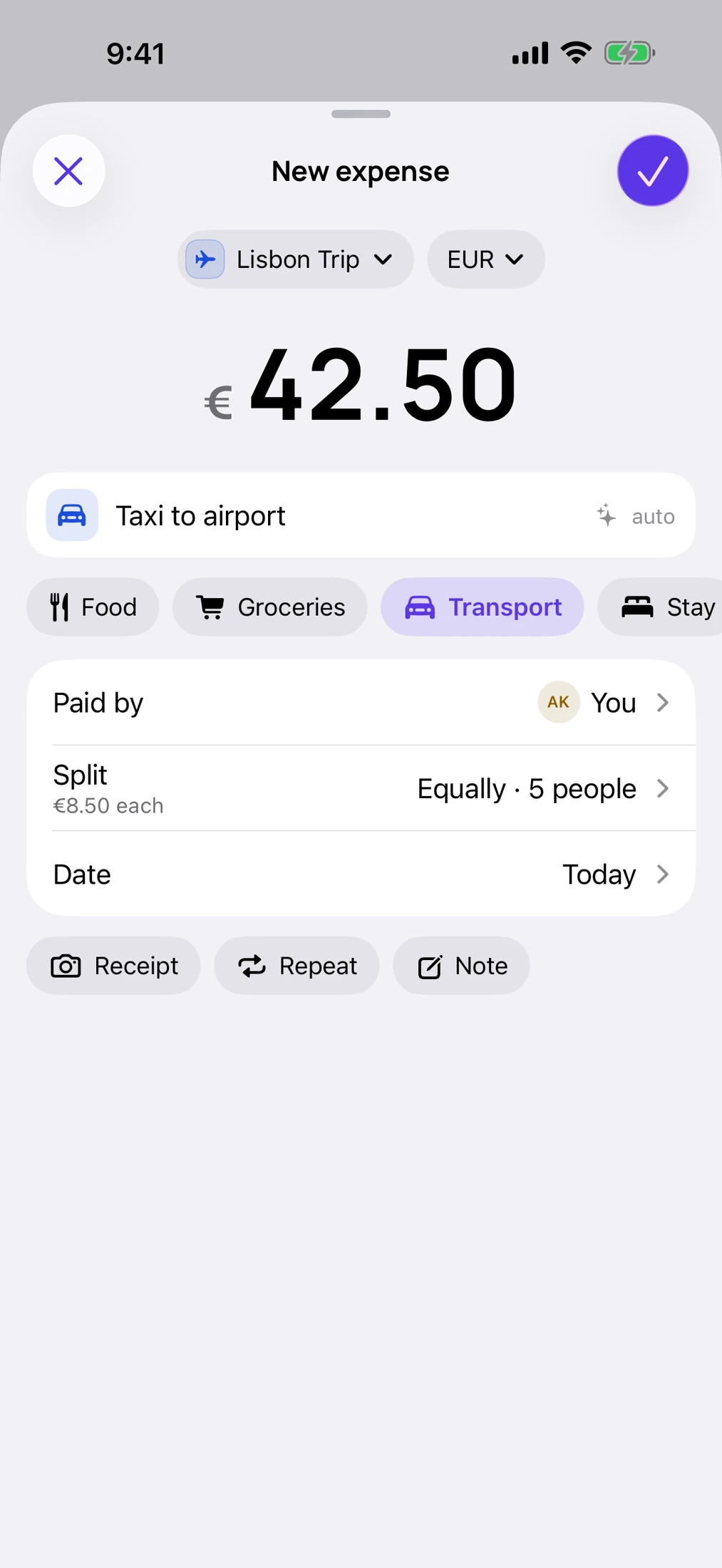
One person had dessert. Someone stayed an extra night. Split equally, by exact amounts, by shares or by percentage. Try a dinner bill here.
Every cent accounted for.
Know who owes what.
Then get back to the plan.
Good times.
Clear balances.
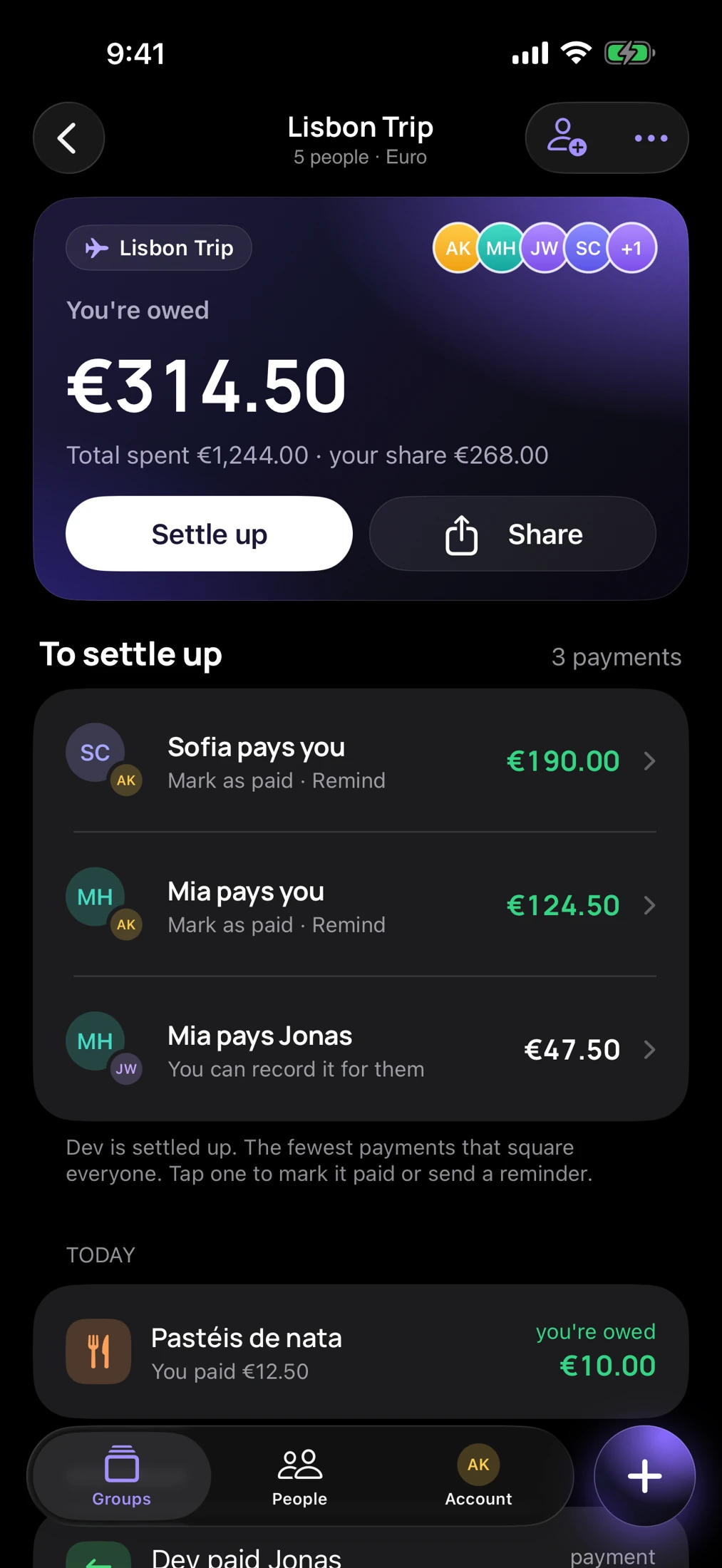
Add the costs as they happen. SuperSplit keeps track of everyone’s share and works out payments that settle the group with fewer transfers.
- Keep expenses, notes and receipts together.
- See what each person paid and owes.
- Record a payment when it’s been made.
Payments happen outside SuperSplit. Recording one updates your group’s balance.
Everyone’s invited.
Even the latecomer.
Share a link or let a friend scan the QR code. They can join your group and choose their existing name, so earlier expenses stay with the right person.
Someone hasn’t downloaded the app yet? You can still include their name in a split. Group members can view the shared expenses on the web.
Open your groups on the web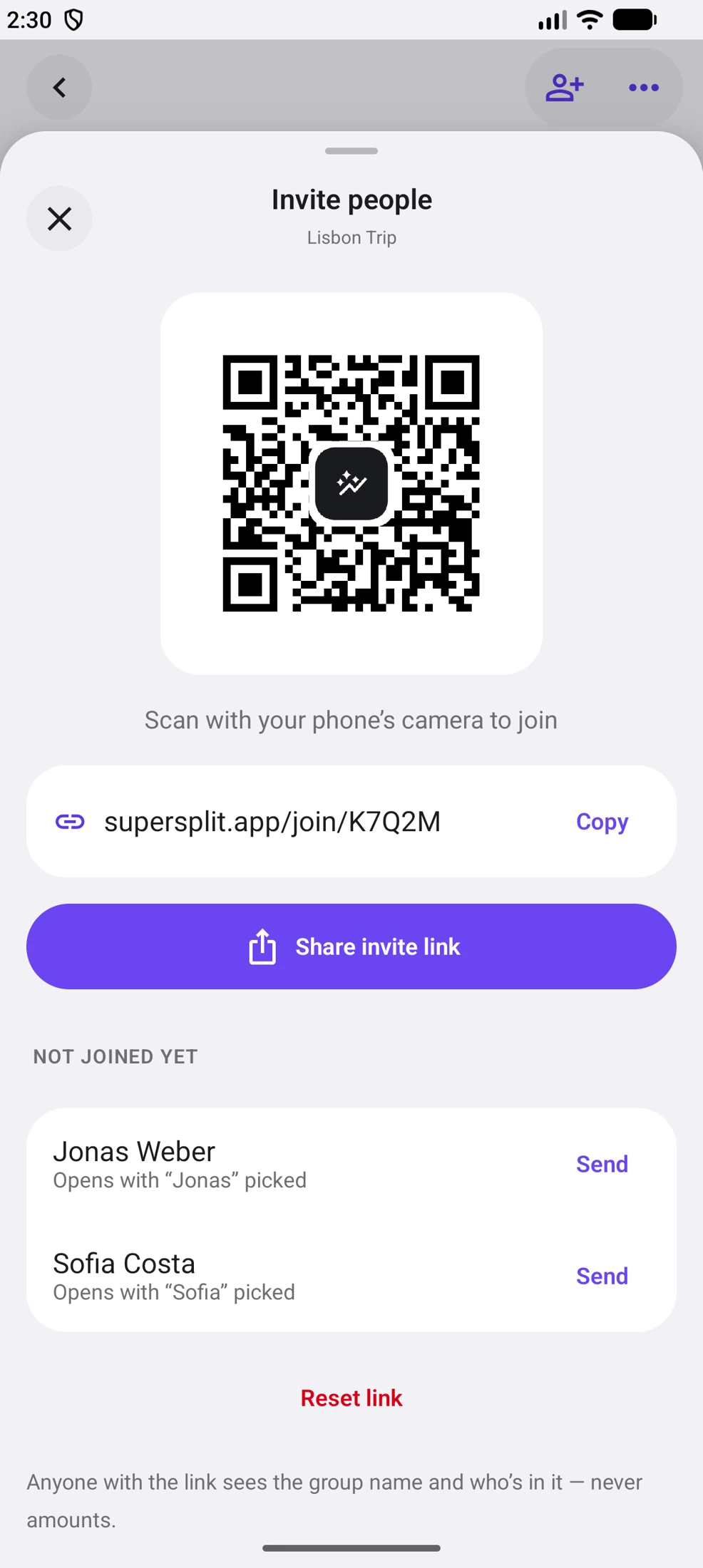
Your group.
Your kind of screen.
Native on iPhone and Android. Room to spread out on iPad. A shared view on the web. Sign in to the same account to see the same groups.
Small details.
A smoother day.
Quick expense entry, flexible split controls and native sheets that keep your group in view.
Free for what matters.
Pro for the time-savers.
Keep splitting without a group limit. Choose Pro when you want to spend even less time on the details.
SuperSplit
The everyday essentials.
Free and unlimited.
- Groups and shared expenses
- Equal, exact, share and percentage splits
- Balances and payment records
- Group invitations and QR codes
- Shared group views on the web
SuperSplit Pro
A little less admin.
A lot more time back.
- Receipt scanning
- Automatic currency conversion
- Repeating bills
- Smart reminders
- Spending insights, PDF and CSV export
Pro is $19.99 a year, $2.99 a month or $34.99 once (US App Store, confirmed 15 Oct 2026; prices vary by country). Subscription terms and any trial appear before you purchase.
Explore Pro in the appA few things
you might be wondering.
Is SuperSplit really free?
Core expense splitting is free and unlimited: create groups, add shared expenses, choose a split and track balances. Optional Pro features help with receipt scanning, conversion, recurring bills, reminders and exports.
Does everyone need the app?
No. You can include someone by name before they join. To see private group expenses, they need to sign in and join the group. The web view lets members read expenses and balances without installing the app.
How do invitations work?
Share the group’s invitation link or QR code. A friend signs in, joins and picks their existing name if you already included them. This keeps their earlier expense share attached to them.
Can I send money through SuperSplit?
SuperSplit calculates balances and helps you record payments. Pay your friend using your usual bank, payment app or cash, then record it in SuperSplit. SuperSplit does not move the money.
Will my existing groups still be there?
Yes. Sign in with the same account to access your existing groups and expenses. Group data belongs to your account across the apps and web.
What can I do on the web?
Sign in, join a group through an invitation and view its expenses, balances and summary. Use the native iPhone or Android app to add expenses, record payments and manage the group.
Where can I get help or delete my account?
Contact support@supersplit.app for help. Account deletion is available in the app’s account settings. You can also use our account deletion page.
Straight answers,
with sources.
How the popular apps compare on free limits, how settle-up works, and how to split a trip, a flat or a couple's costs.
- ComparisonThe best Splitwise alternatives in 2026Daily limits, ads, sign-up and currency conversion, checked on each app's own pages.
- ExplainerIs Splitwise free?What the free plan includes, what Pro adds and what it costs.
- How it worksSettle any group in n − 1 payments or fewerThe math behind settle-up, with worked examples.
- GuideHow to split trip expenses fairlyFive steps and a worked currency example.